KeylessUniversal
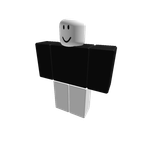
f3x Avatar maker 2 works (on meshes and textures)
 Spo0ky 4 days ago 631 views 1
Run it
Copy the script and paste it into your executor.
f3x Avatar maker 2 works on meshes and textures.lua · 82 lines
 Players = :()
 LP = Players.LocalPlayer

  ()
      (container)
          container
         _, v  (container:())
             v.Name ==
                 endpoint = v:()
                 endpoint  endpoint:()
                     endpoint


     (LP:())  (LP.Character)  (LP)


 remote = ()
  remote
    ()


  (action, data)
     ok, err = (()
         remote:(action, data)
    )
      ok
        (, action, err)


 black = .(, , )
 white = .(, , )

 headCF = .(-,,,,,-,,,,,,)
 hatCF = .(-,,,,,-,,,,,,)

 parts = {
    {cf=.(-,,,,,-,,,,,,),sz=.(,,),col=white},
    {cf=.(-,,,,,-,,,,,,),sz=.(,,),col=black},
    {cf=.(-,,,,,-,,,,,,),sz=.(,,),col=white},
    {cf=.(-,,,,,-,,,,,,),sz=.(,,),col=white,tr=},
    {cf=.(-,,,,,-,,,,,,),sz=.(,,),col=white},
    {cf=.(-,,,,,-,,,,,,),sz=.(,,),col=white},
    {cf=.(-,,,,,-,,,,,,),sz=.(,,),col=white,tr=},
    {cf=hatCF,sz=.(,,),col=white,mesh=},
    {cf=headCF,sz=.(,,),col=white,head=}
}

 _, d  (parts)
    .(()
         ok, p = (()
             remote:(, , d.cf, )
        )

          ok   p
            ()


        (, {{Part=p,=d.cf,Size=d.sz}})
        (, {{Part=p,Color=d.col,UnionColoring=}})
        (, {{Part=p,Material=.Material.Plastic,Transparency=d.tr  ,Reflectance=}})
        (, {{Part=p,Anchored=}})
        (, {{Part=p,CanCollide=}})

         d.mesh
            (, {{Part=p}})
            (, {{Part=p,MeshType=.MeshType.FileMesh}})
            (, {{Part=p,MeshId=}})
            (, {{Part=p,TextureId=}})
            (, {{Part=p,Scale=.(,,)}})
         d.head
            (, {{Part=p}})
            (, {{Part=p,MeshType=.MeshType.Head}})
            (, {{Part=p,Face=.NormalId.Front,TextureType=}})
            (, {{Part=p,Face=.NormalId.Front,TextureType=,Texture=,Transparency=}})

    )
About this script
f3x script avatar maker that works with your meshes and textures to make a statue of your avatar use it how you want anyone can use this