Keyless
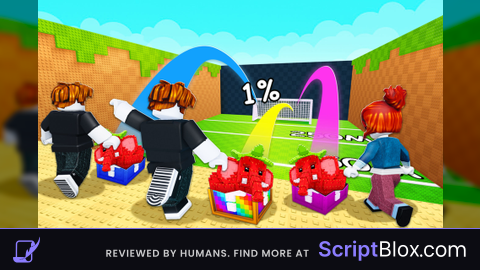
Perfect speed and perfect kick
 9871 6 months ago 12K views 2
Run it
Copy the script and paste it into your executor.
Perfect speed and perfect kick.lua · 141 lines
 UserInputService = :()
 TweenService = :()
 RunService = :()
 ReplicatedStorage = :()

 ScreenGui = .()
 MainFrame = .()
 UICorner = .()
 UIStroke = .()
 ExecuteBtn = .()
 ScriptBtn = .()
 Title = .()

ScreenGui.Name =
ScreenGui.Parent = :()
ScreenGui.ZIndexBehavior = .ZIndexBehavior.Sibling

MainFrame.Name =
MainFrame.Parent = ScreenGui
MainFrame.BackgroundColor3 = .(, , )
MainFrame.BorderSizePixel =
MainFrame.Position = .(, -, , )
MainFrame.Size = .(, , , )

UICorner.CornerRadius = .(, )
UICorner.Parent = MainFrame

UIStroke.Color = .(, , )
UIStroke.Thickness =
UIStroke.Parent = MainFrame

Title.Name =
Title.Parent = MainFrame
Title.BackgroundTransparency =
Title.Position = .(, , , )
Title.Size = .(, -, , )
Title.Font = .Font.Code
Title.Text =
Title.TextColor3 = .(, , )
Title.TextSize =
Title.TextXAlignment = .TextXAlignment.Left

ExecuteBtn.Name =
ExecuteBtn.Parent = MainFrame
ExecuteBtn.BackgroundColor3 = .(, , )
ExecuteBtn.Position = .(, , , )
ExecuteBtn.Size = .(, -, , )
ExecuteBtn.Font = .Font.Code
ExecuteBtn.Text =
ExecuteBtn.TextColor3 = .(, , )
ExecuteBtn.TextSize =
ExecuteBtn.AutoButtonColor =

 BtnCorner = .()
BtnCorner.CornerRadius = .(, )
BtnCorner.Parent = ExecuteBtn

ScriptBtn.Name =
ScriptBtn.Parent = MainFrame
ScriptBtn.BackgroundColor3 = .(, , )
ScriptBtn.Position = .(, , , )
ScriptBtn.Size = .(, -, , )
ScriptBtn.Font = .Font.Code
ScriptBtn.Text =
ScriptBtn.TextScaled =
ScriptBtn.TextWrapped =
ScriptBtn.TextColor3 = .(, , )
ScriptBtn.AutoButtonColor =

 ScriptCorner = .()
ScriptCorner.CornerRadius = .(, )
ScriptCorner.Parent = ScriptBtn

 dragging, dragInput, dragStart, startPos

  (input)
     delta = input.Position - dragStart
    MainFrame.Position = .(startPos.X.Scale, startPos.X.Offset + delta.X, startPos.Y.Scale, startPos.Y.Offset + delta.Y)


MainFrame.InputBegan:((input)
     input.UserInputType == .UserInputType.MouseButton1  input.UserInputType == .UserInputType.Touch
        dragging =
        dragStart = input.Position
        startPos = MainFrame.Position

        input.Changed:(()
             input.UserInputState == .UserInputState.End
                dragging =

        )

)

MainFrame.InputChanged:((input)
     input.UserInputType == .UserInputType.MouseMovement  input.UserInputType == .UserInputType.Touch
        dragInput = input

)

UserInputService.InputChanged:((input)
     input == dragInput  dragging
        (input)

)

ExecuteBtn.MouseEnter:(()
    TweenService:(ExecuteBtn, TweenInfo.(), {BackgroundColor3 = .(, , )}):()
)

ExecuteBtn.MouseLeave:(()
    TweenService:(ExecuteBtn, TweenInfo.(), {BackgroundColor3 = .(, , )}):()
)

ScriptBtn.MouseEnter:(()
    TweenService:(ScriptBtn, TweenInfo.(), {BackgroundColor3 = .(, , )}):()
)

ScriptBtn.MouseLeave:(()
    TweenService:(ScriptBtn, TweenInfo.(), {BackgroundColor3 = .(, , )}):()
)

  ()
     Event = ReplicatedStorage.Shared.Packages.Network.rev_SPEED_UPDATE
    (Event.OnClientEvent, )


  ()
     Event = ReplicatedStorage.Shared.Packages.Network.rev_KickEvent
    Event:()


()

ExecuteBtn.MouseButton1Click:(()
    ()
)

ScriptBtn.MouseButton1Click:(()
    (:())()
)Loads code from the internet. It downloads more code when it runs (loadstring + HttpGet), which can change after it was posted. From: raw.githubusercontent.com.
About this script
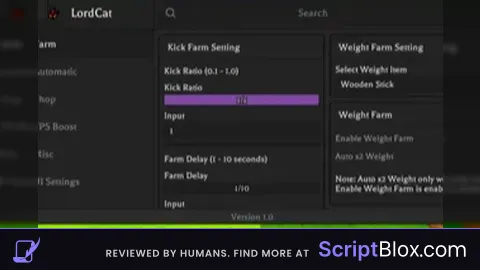
Perfect speed is automatically added when executed Perfect kick is as it says Toraisme kick a lucky block script