Keyless
Joe GOLDBERG
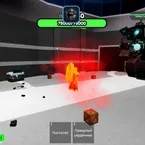 Davidgur11q 2 years ago 48K views 2
Run it
Copy the script and paste it into your executor.
Joe GOLDBERG.lua · 44 lines
local Library = loadstring(game:HttpGet("https://raw.githubusercontent.com/xHeptc/Kavo-UI-Library/main/source.lua"))()
local Window = Library.CreateLib("TITLE", "Midnight")
local Tab = Window:NewTab("Joe Goldberg")
    local Section = Tab:NewSection("Skill")
        Section:NewKeybind("Choke Slam", "KeybindInfo", Enum.KeyCode.Z, function()
            local args = {
    [1] = game:GetService("Players").LocalPlayer
}

game:().Characters.Joe.Remotes.ChokeSlam:((args))
    )
    Section:(, , .KeyCode.X, ()
         args = {
    [] = :().LocalPlayer
}

:().Characters.Joe.Remotes.BugsSlam:((args))
    )
    Section:(, , .KeyCode.C, ()
         args = {
            [] = :().LocalPlayer
        }

        :().Characters.Joe.Remotes.TheCage:()
    )
    Section:(, , .KeyCode.V, ()
         args = {
            [] = :().LocalPlayer
        }

        :().Characters.Joe.Remotes.Finisher:()
    )
    Section:(, , .KeyCode.T, ()
         args = {
    [] = :().LocalPlayer
}

:().LocalPlayer.Character.Joe.CounterActivate:((args))
    )
 Tab = Window:()
     Section = Tab:()
    Section:(, , .KeyCode.P, ()
 Library:()
)Loads code from the internet. It downloads more code when it runs (loadstring + HttpGet), which can change after it was posted. From: raw.githubusercontent.com.
About this script
Keyboard