Keyless
Todo Slide
 WuzRERBorn 3 days ago 327 views 1
Run it
Copy the script and paste it into your executor.
Todo Slide.lua · 224 lines
 Players = :()
 RunService = :()
 UserInputService = :()


 .SlideTest
	 _, conn  (.SlideTest.connections)
		conn:()

	 .SlideTest.slideTrack
		.SlideTest.slideTrack:()

	 .SlideTest.rig
		.SlideTest.rig.align:()
		.SlideTest.rig.attachment:()

	 .SlideTest.mobileGui
		.SlideTest.mobileGui:()


.SlideTest = { connections = {}, slideTrack = , rig = , mobileGui =  }
 state = .SlideTest

 lp = Players.LocalPlayer
 camera = .CurrentCamera


 SLIDE_KEY = .KeyCode.E
 SLIDE_TIME =
 SLIDE_EXTRA =
 FRONT_RANGE =
 SLIDE_ANIMATION_ID =
 SLIDE_POSE_TIME =
 SHOW_MOBILE_BUTTON =


  ()
	 character = lp.Character
	 hrp = character  character:()
	  hrp

	 look = camera.CFrame.LookVector
	 params = OverlapParams.()
	params.FilterType = .RaycastFilterType.Exclude
	params.FilterDescendantsInstances = {character}

	 best, bestDist = , FRONT_RANGE
	 _, part  (:(hrp.Position, FRONT_RANGE, params))
		 model = part:()
		 hum = model  model:()
		 root = model  model:()
		 hum  root  hum.Health >
			 offset = root.Position - hrp.Position
			 dist = offset.Magnitude
			 dist >   offset.Unit:(look) >   dist < bestDist
				bestDist = dist
				best = root


	 best


  ()
	 character = lp.Character
	 humanoid = character  character:()
	 animator = humanoid  humanoid:()
	  animator

	 anim = .()
	anim.AnimationId = SLIDE_ANIMATION_ID
	 track = animator:(anim)
	track:()
	track.TimePosition = SLIDE_POSE_TIME
	track:()
	anim:()
	 track


  (t)
	  - ( - t) ^


  (hrp)
	 att = .()
	att.Name =
	att.Parent = hrp

	 align = .()
	align.Mode = .OrientationAlignmentMode.OneAttachment
	align.Attachment0 = att
	align.MaxTorque = .huge
	align.Responsiveness =
	align.Enabled =
	align.Parent = hrp

	 { attachment = att, align = align }


  ()
	 state.slideTrack
		state.slideTrack:()
		state.slideTrack =

	 state.rig
		state.rig.align.Enabled =
		state.rig.align:()
		state.rig.attachment:()
		state.rig =


  (targetRoot)
	 targetChar = targetRoot.Parent
	 targetHum = targetChar  targetChar:()
	  targetHum   targetRoot.Position

	 humState = targetHum:()
	 grounded = targetHum.FloorMaterial ~= .Material.Air
	 ragdolled = humState == .HumanoidStateType.Physics  humState == .HumanoidStateType.Ragdoll

	 grounded   ragdolled
		 vel = targetRoot.AssemblyLinearVelocity
		 targetRoot.Position + .(vel.X, , vel.Z) * SLIDE_TIME

	 targetRoot.Position


  (targetRoot)
	 character = lp.Character
	 hrp = character  character:()
	  hrp

	()

	 startPos = hrp.Position
	 start = .()
	 passedTarget =
	 endPos = startPos
	 dir = .(, , -)

	state.slideTrack = ()

	 rig = (hrp)
	state.rig = rig
	rig.align.Enabled =

	 conn
	conn = RunService.Heartbeat:((dt)
		  targetRoot.Parent
			()
			conn:()


		 elapsed = .() - start
		 linear = .(elapsed / SLIDE_TIME, , )


		 aim = (targetRoot)
		 offset = aim - startPos
		 offset.Magnitude >
			dir = offset.Unit

		endPos = aim + dir * SLIDE_EXTRA

		 pos = startPos:(endPos, (linear))
		hrp.CFrame = .(pos)

		  passedTarget  (pos - targetRoot.Position):(dir) >
			passedTarget =


		 passedTarget
			 goal = .(camera.CFrame.Position, targetRoot.Position)
			camera.CFrame = camera.CFrame:(goal, .( * dt, , ))


		 linear >=
			()
			conn:()

	)
	.(state.connections, conn)


  ()
	 target = ()
	(, target  target.Parent.Name  )
	 target
		(target)


.(state.connections, UserInputService.InputBegan:((input, processed)
	 processed
	 input.KeyCode ~= SLIDE_KEY
	()
))

 SHOW_MOBILE_BUTTON
	 playerGui = lp:()
	 gui = .()
	gui.Name =
	gui.ResetOnSpawn =
	gui.Parent = playerGui
	state.mobileGui = gui

	 button = .()
	button.Size = .(, , , )
	button.Position = .(, -, , -)
	button.BackgroundColor3 = .(, , )
	button.BackgroundTransparency =
	button.TextColor3 = .(, , )
	button.TextSize =
	button.Font = .Font.Code
	button.Text =
	button.BorderSizePixel =
	button.Parent = gui
	.(, button).CornerRadius = .(, )

	button.Activated:(trySlide)
About this script
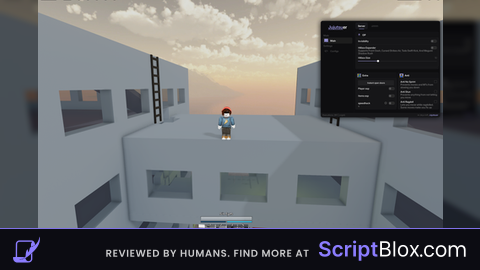
Heya! This script lets you use Todo Slide when pressing E (or SLIDE button for mobile players :D), when you press you go behind the enemy, you can do some pretty nice combos with it! You can use any character for this script btw. Settings (top of the script): DASH_KEY: key that triggers the dash DASH_TIME: how long the dash takes (seconds) DASH_EXTRA: how far past the target the dash goes FRONT_RANGE: how far away a target can be to get picked DASH_ANIMATION_ID: animation played as the pose DASH_POSE_TIME: moment in the animation to hold as the pose Tips Raise DASH_TIME for a slower slide, lower it for something snappier. If the dash stops short or overshoots, adjust DASH_EXTRA. Hitting the wrong enemy? Shrink FRONT_RANGE. The pose looks off? Change DASH_POSE_TIME until it lands on the frame you like. Enjoy It!